Cabin class is a useful label, but it is not a complete description of the onboard product. A flight may be Economy, Business, or First. Seat space, width, and recline angle vary by aircraft and cabin layout. Power access and entertainment also vary.
For flight retailers, that gap matters. Online travel agencies, travel management companies, and metasearch platforms need more than a class label.
They need it to build clear flight cards, comparison tables, and policy-friendly displays.
Cabin-level product data is structured airline cabin data, like airline seat. It describes physical and service features beyond the class label. This includes flight seat size, seat recline angle, onboard amenities, aircraft context, and cabin layout details.
VariFlight DataWorks provides this data layer through the Flight Happiness Index. DataWorks supplies aviation data inputs. Retailers decide how to display, filter or combine that data inside their own products.
Why Is Cabin Class Not Enough for Flight Retailing?
Cabin class is a classification field. It tells a system if a record is Economy, Premium Economy, Business, or First. It does not fully describe what the traveler will see onboard.
Two flights can both carry a Business Class label and still provide different seat products. One cabin record may show a 45-inch seat pitch and a seat inclination angle of 120 degrees. Another may show a 60-73-inch seat pitch and a seat inclination angle of 145 degrees.
That difference is not a pricing claim or a quality judgment. It is a data granularity issue. If a flight retail page shows only the cabin label, the user sees the same category. This happens even when product attributes differ.
For B2B systems, cabin labels support basic filtering. Seat layout and flight amenity data supports richer display logic, better content normalization and more transparent comparison modules. In this article, we call that structured layer cabin-level product data.
What Cabin-Level Product Data Should Flight Retailers Display?
Cabin-level product data should cover key attributes that explain the cabin clearly. It should not turn the flight retailer into an airline reviewer. The goal is to expose structured facts.
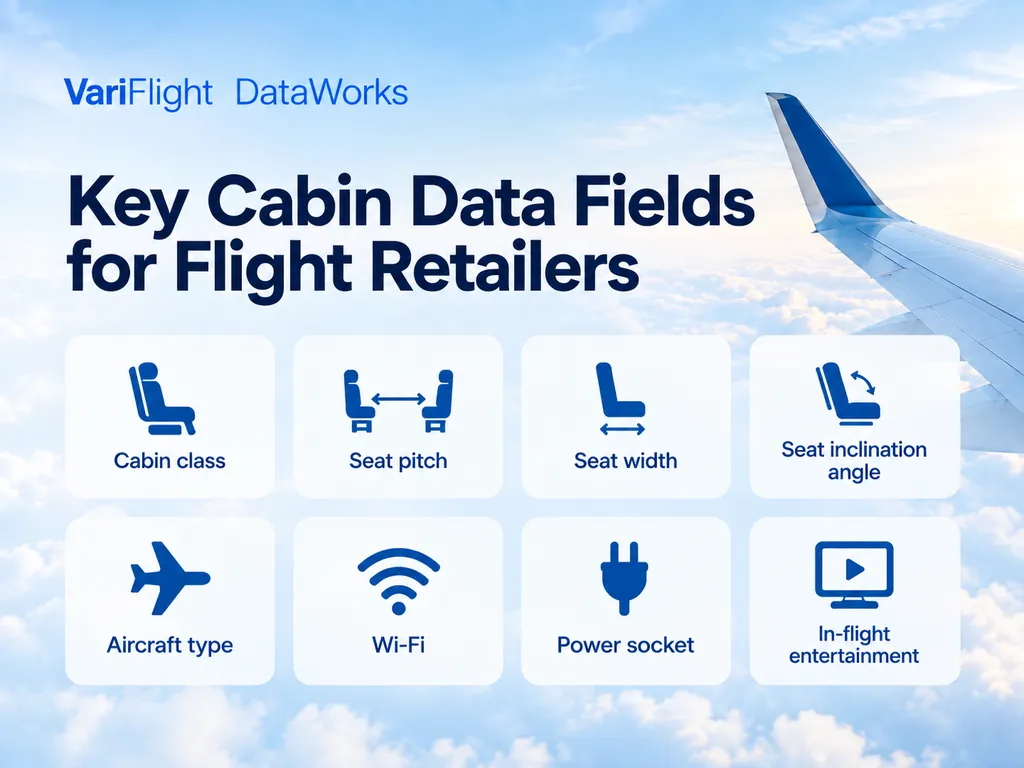
A practical flight retail display can use fields such as:
| Data field | What it describes | How a retailer may display it |
|---|---|---|
| Cabin class | Economy, Premium Economy, Business or First | Cabin label on the flight card |
| Seat pitch | Seat space by cabin | Seat-space tag or comparison row |
| Seat width | Seat width by cabin | Comfort detail row |
| Seat inclination angle | Seat inclination value in degrees | Cabin detail row |
| Aircraft type | Aircraft model used for the flight | Aircraft information line |
| Wi-Fi | Onboard connectivity availability | Amenity icon |
| Power socket | Power or USB availability | Amenity icon |
| In-flight entertainment | Entertainment availability | Amenity icon |
These fields fit naturally into OTA and TMC interfaces. A flight result can show the cabin class first, then expand into cabin product details inside a comparison panel.
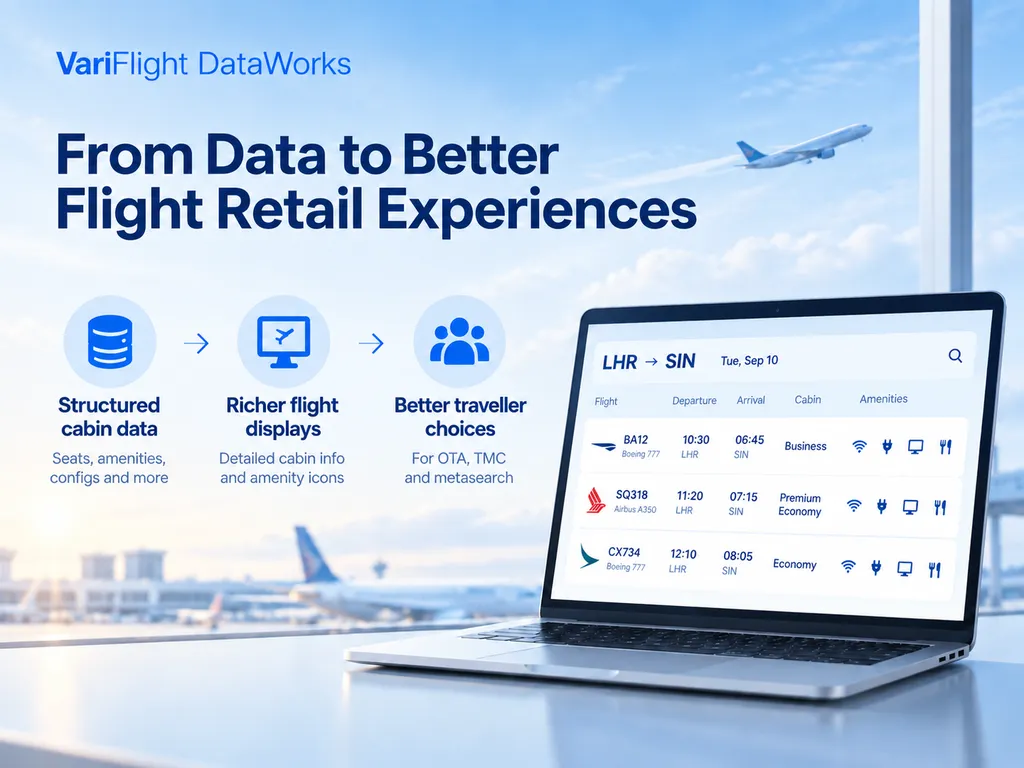
This structure keeps customer rules separate from source data. DataWorks provides the field values. The customer chooses which fields appear and how the system handles missing values.
Data Scope and Methodology
This review uses sample files from the VariFlight DataWorks Flight Happiness Index.
The sample files contain records scheduled for three route-and-date combinations: ICN–NRT on September 9, 2026; CAI–JED on September 11, 2026; and KUL–SIN on September 14, 2026.
The sample comparison checks cabin class, seat pitch, seat width, the SeatTilt field, Wi-Fi, power, and in-flight entertainment. The Flight Happiness Index field documentation maps SeatTilt to seat inclination angle, measured in degrees. Do not interpret it as a separate measure of recline distance. The broader data model can add aircraft context where available.
This comparison does not use fares, ticket prices, booking records, passenger reviews or customer behavior data. Cabin names follow the classification applied in the supplied samples.
Source-record counts describe the size of each sample. They do not match unique operating flights or unique cabin products. Codeshare flight numbers can refer to the same operating product.
What Do Real Route Samples Show About Cabin Product Differences?
Real route samples show why you should not treat cabin class as a standalone product description. In three Flight Happiness Index sample files, the same cabin label included multiple seat and amenity combinations.
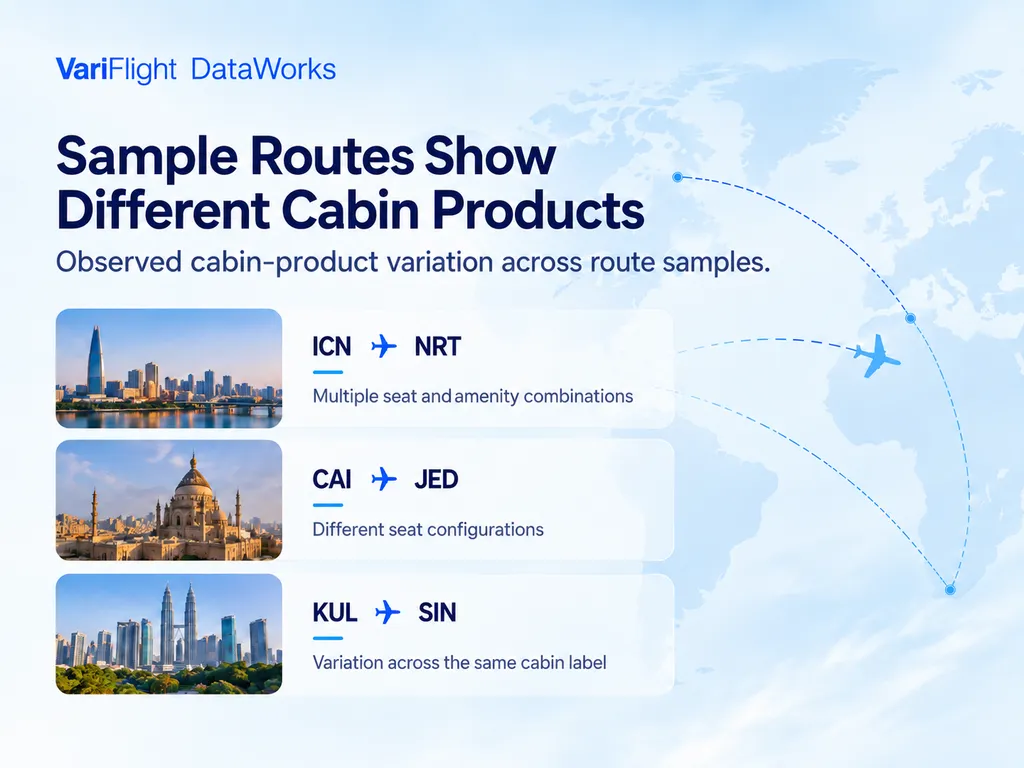
The sample reflects data available in the reviewed files. Aircraft assignments and onboard amenities may change before departure.
Do not read the table as a market-wide benchmark.
| Route sample | Cabin label | Reviewed source records. | Unique observed attribute sets. | Observed seat pitch values. | Observed seat width values. | Observed seat recline angles. |
|---|---|---|---|---|---|---|
| ICN-NRT | Business | 57 | 10 | 39-40 in to 78-80 in | 19 in to 22 in | 120 to 180 degrees |
| CAI-JED | Business | 35 | 6 | 45 in to 60-73 in | 18.6 in to 25 in | 120 to 145 degrees |
| KUL-SIN | Business | 143 | 4 | 42 in to 44 in | 20 in to 21 in | 120 to 150 degrees |
| KUL-SIN | Economy | 166 | 9 | 28, 30 and 32 in; ranges include 28-29 and 28-34 in | 16-17 in to 20.5 in | 100 to 110 degrees |
Source-record counts may include multiple marketing flight numbers associated with a shared operating flight. The attribute-set count removes identical nonblank seat-and-amenity combinations, but it is not an operating-flight count.
In the reviewed ICN-NRT sample, the lowest listed Business Class seat-pitch range started at 39 inches. The highest listed range started at 78 inches. The shared Business label alone does not expose that difference.
Distinct observed attribute sets counts unique combinations of seat and amenity values in the source rows. It is not a count of aircraft layouts or unique operating products. Establishing those counts requires verified operating-flight and aircraft-configuration mapping.
The key point is not that one route is more comfortable than another. The point is that cabin labels hide product variation. A platform that stores only Business or Economy cannot show these differences in a structured way.
For flight retailers, the impact appears in product pages, comparison tables and support tools. Teams can present cabin facts consistently instead of relying on free text or manual lookup.
How Can Business Class Attributes Differ on the Same Route?
The CAI-JED sample contains six distinct, nonblank seat-and-amenity attribute sets among records classified as Business. Two of those observed sets differ as follows:
| Attribute set | Route and date | Cabin | Seat pitch | Seat width | Seat inclination angle |
|---|---|---|---|---|---|
| Set A | CAI-JED, September 11, 2026 | Business | 45 in | 18.6 in | 120 degrees |
| Set B | CAI-JED, September 11, 2026 | Business | 60-73 in | 25 in | 145 degrees |
The comparison does not assign these sets to unique operating flights. The export includes flight number records, including possible codeshares. It does not include a separate operating flight field for full deduplication.
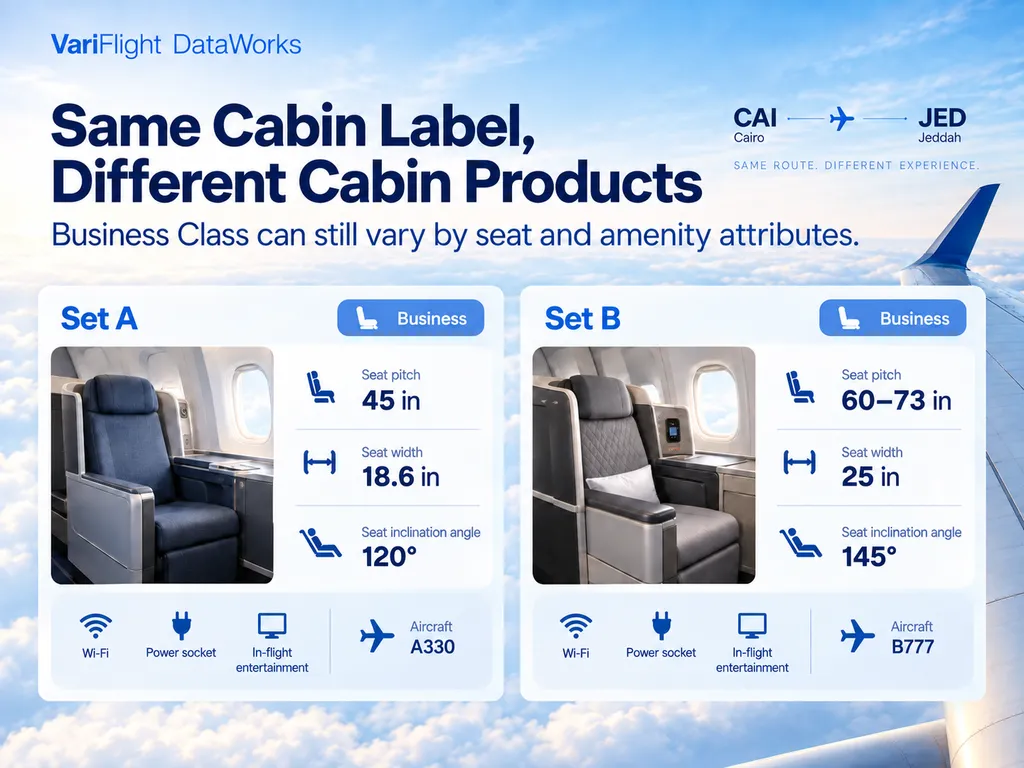
Both attribute sets carry the same cabin label, but their seat values differ. A retailer does not need to say which option is preferable. It can show the attributes side by side and let its own interface handle the next step.
That distinction protects the product boundary. DataWorks provides aviation data that a customer can use as an input in its own flight retail experience.
Why Do Codeshare and Operating-Flight Links Matter?
Codeshare mapping matters because the marketed flight number is not always the best key for cabin product content. A customer may search using a marketing flight number. The onboard product depends on the operating carrier and aircraft.
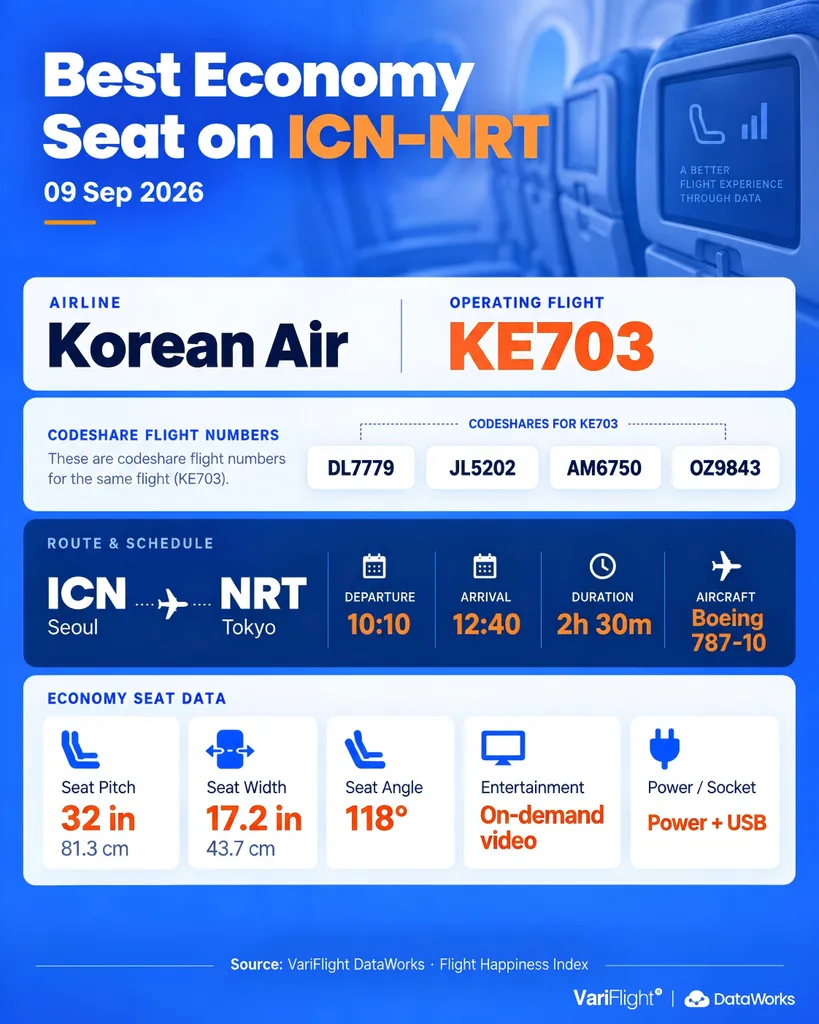
In route samples, multiple marketing flight numbers may point to a shared cabin product pattern. A retailer that ignores this relationship can show inconsistent cabin details across equivalent records.
A cleaner data flow is:
- Match the flight number, travel date and route.
- Identify the requested cabin class.
- Link to operating-flight and aircraft context where available.
- Retrieve cabin-level fields for display.
- Apply the retailer’s fallback rules for unknown values.
This flow separates data retrieval from presentation logic. The API supplies structured fields. The customer product decides how the facts appear.
How Should OTAs and TMCs Use Cabin-Level Product Data?
OTAs and TMCs can use cabin-level product data to enrich content on flight shopping and servicing screens. It should sit beside route, time, carrier and flight-status data.
Common use cases include:
| Use case | Cabin-level data role |
|---|---|
| Flight result cards | Show aircraft, cabin and amenity tags |
| Side-by-side comparison | Compare seat pitch, width, seat inclination angle and amenity availability |
| Corporate travel display | Add cabin product context to policy-visible options |
| Customer support screens | Give agents structured cabin facts |
| AI travel assistants | Provide parseable facts for answer generation |
The best implementations keep claims modest. A screen can say that a flight lists Wi-Fi, power or a wider seat. It should avoid unsupported claims about passenger preference or overall superiority.
How Does VariFlight DataWorks Support Cabin-Level Product Data?
VariFlight DataWorks supports cabin-level content through the Flight Happiness Index data product. Relevant fields include flight number, date, origin, and destination.
They also include cabin class, seat pitch, and seat width. Other fields are seat inclination angle and aircraft type. The service includes Wi‑Fi, power sockets, and in‑flight entertainment.
Customers can use the API output in flight search pages, comparison views, support tools or internal content systems.
DataWorks remains the data layer. It does not issue tickets, store passenger identity, compare fares or decide which flight a customer should choose.
By integrating cabin-level product data, flight retailers can give travelers and service teams clearer information about the onboard product behind each cabin label. This can support more informative flight displays, more transparent comparisons and more consistent customer-service responses. VariFlight DataWorks provides the structured data inputs, while each customer controls how those fields are presented and used.
For teams reviewing airline cabin data, a trial should test field coverage and codeshare handling. It should also test missing-value rules, unit formatting, and display fallbacks.
Explore VariFlight DataWorks Flight Happiness Index
FAQ
What is cabin-level product data?
Cabin-level product data is structured airline cabin data that describes the onboard product beyond the class label. It can include seat pitch, seat width, seat inclination angle, aircraft type, Wi-Fi, power socket and in-flight entertainment.
Does Business Class always describe the same cabin product?
No. Business Class is a cabin category, not a complete product description. Seat dimensions, seat inclination angle and amenities can vary by aircraft, route, operating flight and cabin configuration.
Can VariFlight DataWorks compare ticket prices or fare value?
No. VariFlight DataWorks does not provide fare, ticketing, PNR, payment, passenger identity or customer behavior data. DataWorks provides aviation data fields that customers can use inside their own systems.
Why does the operating flight matter for cabin data?
The operating flight often determines the aircraft and cabin configuration. A marketed codeshare flight number may need to link to the operating flight.
We need this before we show the cabin product details.
How should flight retailers handle missing cabin fields?
Flight retailers should define their own display fallback rules. Common approaches include hiding unavailable fields. You can show an unknown state. Or use a neutral label that does not imply the amenity exists.
References
- VariFlight DataWorks Flight Happiness Index product page: https://dataworks.variflight.com/products/flight-happiness-index/
- VariFlight DataWorks Flight Happiness Index sample route data: ICN-NRT, September 9, 2026.
- VariFlight DataWorks Flight Happiness Index sample route data: CAI-JED, September 11, 2026.
- VariFlight DataWorks Flight Happiness Index sample route data: KUL-SIN, September 14, 2026.